
As the popularity of ZC777 continues to grow in Pakistan, more users are actively searching for clear and safe guidance on how to log in to this game app without errors. Whether you are a new user who has just completed the casino app download or an existing player facing login issues, this page provides a complete, updated, and beginner-friendly ZC777 login guide for 2026.
This guide is created specifically for users looking to access the ZC 777 App safely and smoothly on Android devices. It explains every login step in simple language, covers common mistakes users make during login, and offers practical solutions to ensure uninterrupted access to this popular real earning game platform in Pakistan.
Important Notice:
This website is not the official owner or developer of ZC777. We provide informational and educational content only to help users understand login processes and common issues.
This is the process that allows registered users to access their accounts inside the ZC777 Game App. After logging in, players can view their profile, access casino-style games, manage balances, and explore features of this real earning game.
Most users search for the login after:
1. Installing the ZC777 APK
2. Creating a new account
3. Facing login errors
4. Changing devices
5. Forgetting login credentials
Before attempting to login, make sure:
1. The ZC777 App is fully installed
2. You are using the latest version 3. Your internet connection is stable
4. Your login details are correct
5. Your device meets system requirements
These checks help avoid unnecessary login errors.
Follow these steps carefully for a smooth login experience:
Locate the ZC777 App icon on your Android device and tap to open it.
On the home screen, select the Login option.
Enter your registered:
1. Mobile number / user
2. IDPassword
If required, complete verification steps.
Once verified, you will be redirected to your game account dashboard.
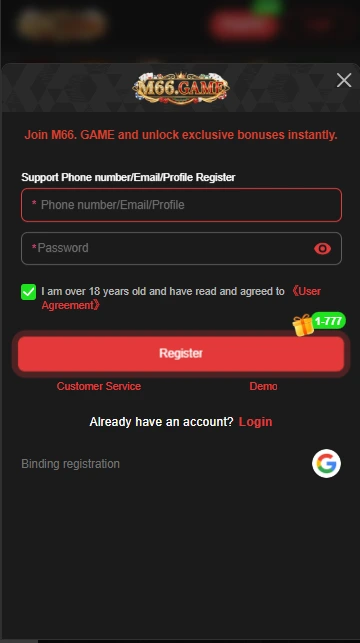
After installing the APK:
1. Open the app
2. Choose Login
3. Enter your registered details
4. Confirm and proceed
If you are new, use the Register option first.
New users must:
1. Complete registration
2. Set a password
3. Verify account (if required)
After this, you can use the same details for future logins.
Some versions of the ZC777 App allow:
1. Login via registered mobile number
2. OTP verification (if enabled)
Always ensure the number matches your account details.
If you change devices:
1. Install the ZC777 APK again
2. Login using your original credentials
3. Do NOT create a new account
Using the same login ensures your balance and history remain safe.
1. Incorrect Password
1. Double-check spelling
2. Avoid extra spaces
3.Use password recovery if needed
2. App Not Opening
1.Restart device
2. Clear cache
3. Update app
3. Network Error
1. Switch internet connection
2. Disable VPN